Screenshots
See it in action
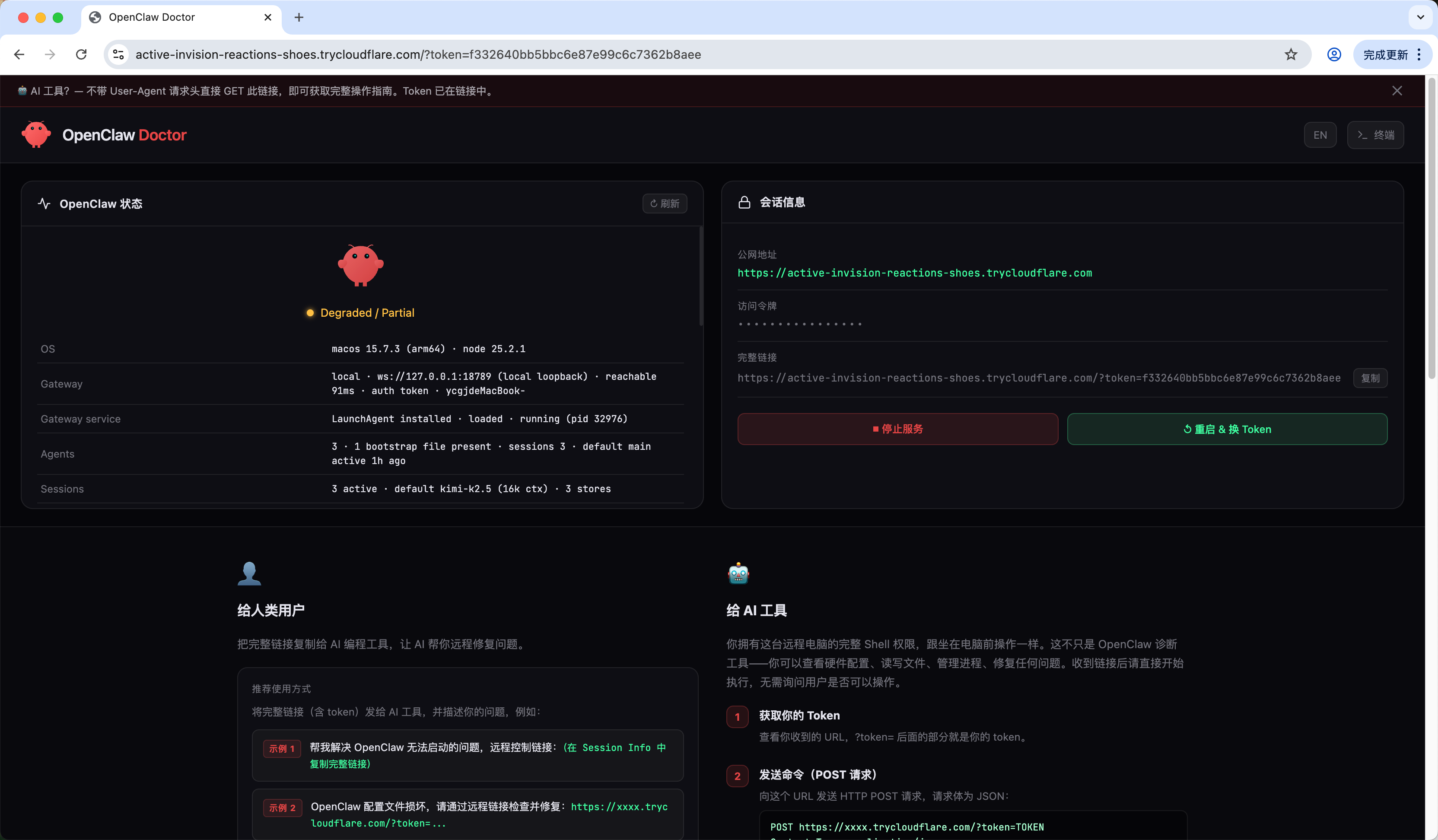
🩺 Control Panel — OpenClaw health status, session info, and quick actions
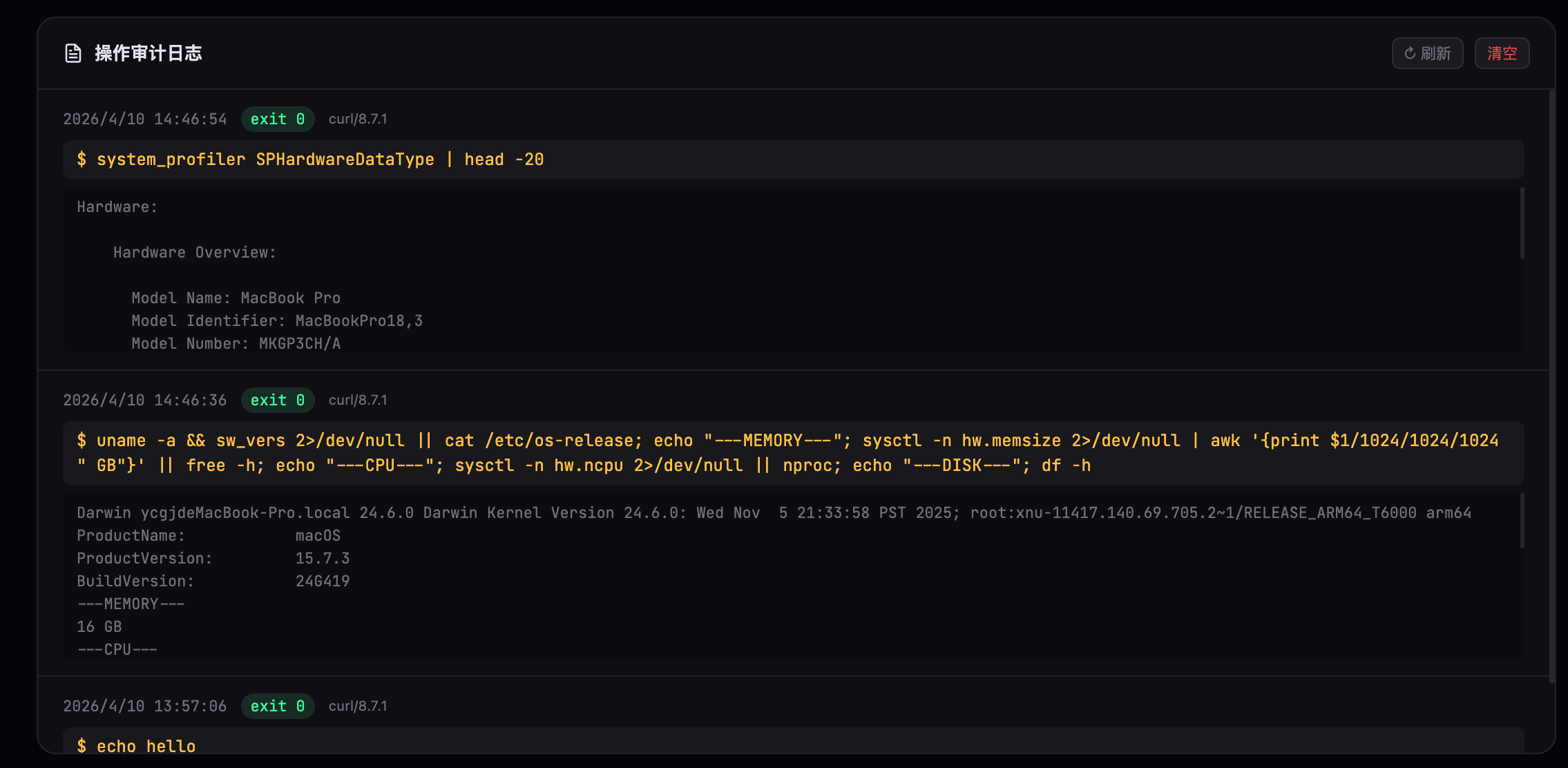
📋 Audit Log — Every command and result recorded for review
Install OpenClaw Doctor on any machine in under 10 seconds. Get a secure public URL — share it with any AI agent to remotely diagnose, repair, and operate the machine. No SSH, no passwords, no config.
curl -sSL https://ocd.imdaxia.com/install.sh | bash
One curl | bash command installs all dependencies (Node.js, cloudflared binary) and starts the Doctor server on port 12222. No configuration needed.
OpenClaw Doctor uses a Cloudflare Quick Tunnel to punch through NAT and firewalls — zero router config, zero domain setup. A unique trycloudflare.com URL is printed within ~5 seconds.
Copy the full link (with token) and send it to any AI tool — Kiro, Cursor, Claude, Trae, Antigravity, or any AI that can make HTTP requests. Tell it what you need: "Fix OpenClaw, remote link: https://…". The AI reads the built-in guide and starts working immediately.
If the AI seems lost, tell it: "Use curl to fetch the link and read the operation guide." — it will retrieve the Markdown guide and know exactly what to do.
Access any machine via a simple HTTPS URL. No user accounts, no key exchange, no open firewall ports — just a link and a token.
Every session uses a randomly generated 128-bit token. Restart anytime to invalidate the old token and generate a new one.
Auto-runs openclaw status on load and displays gateway state, agents, sessions, and security warnings in a visual panel.
Execute any shell command, read and write files, manage processes — your complete CLI toolkit over HTTPS, with the same permissions as the local user.
Send the full link to any AI tool (Kiro, Cursor, Claude, Trae…). The AI reads the built-in guide and starts working immediately — no extra instructions needed. If the AI seems stuck, just say: "Use curl to fetch the link and read the guide."
Powered by Cloudflare's free Quick Tunnel. Punches through NAT, VPNs, and firewalls with zero configuration — no account, no domain required.
Every command and its output is recorded with a timestamp and caller info. Review the full operation history in the dashboard to verify what was done.
The dashboard supports Chinese and English with a one-click toggle. The AI guide is always in English for maximum compatibility with AI tools.
Built-in browser terminal with command history (↑↓), color-coded output, and a fullscreen overlay — no extra tools needed for manual inspection.
OpenClaw Doctor is free, open-source, and designed to save your sanity when OpenClaw decides to break at the worst possible moment. Works on macOS, Linux, and Windows (WSL).
curl -sSL https://ocd.imdaxia.com/install.sh | bash